This logic hides all positive values, and shows all negative values in RED. How would you modify it so it would still show the positive values but in a different color?
In BI Publisher Standalone, How many concurrent reports can be run ? By default, it is set to 3. in-order to change it to 'N'. following change is required. 1. Go to Admin/Scheduler/quartz-config.properties 2. identify the line org.quartz.threadPool.threadCount=N 3. Change this to N, in order to concurrent no of reports to be run at a time.
how to repeat the column titles on a table in all pages if the table extends over several pages What you need to is: 1. Select and Highlight the table header row 2. Right click and select table properties 3. On the Row tab properties , specify that the header row should be repeated on every page 4. Save the RTF 5. BIP looks at the properties of the word settings for the table and will repeat the header row on every page the table needs. This works so well in PDF output, but RTF output seeems to have some issue with this header repeat functionality We all can beleive, In future releases this bug won't be there ;)
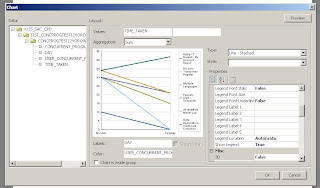
Here is a sample of how do you do Line-stacked graph. In BI Publisher menu, select chart and drag and drop the required column , do choose type of the chart as Line- Stacked. xml is available in the forum post and here it is


Comments