Posts

Showing posts with the label formatting

BIP Formatting

Image
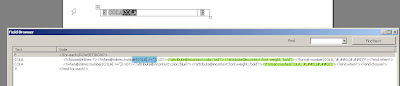
Adding formatting is easier in BIP. It can be done manually or automated through menu. How to add the BIP formatting manually,  here is an example. Just add the logic and the formatting you needed. How to add the BIP formatting through menu,  here is an example. use the Menu and choose conditional formatting You have to select the data filed and choose the menu option conditional format

Conditional Formats

Image
Add the condition logic for you requirement inside the IF statement and END IF

Column Formatting

Image
We need formatting like * negatives values enclosed in () * Red color for negative values * format the number if not null How to do. Have a look at the syntax <?attribute@incontext:color;'red'?> <?attribute@incontext:font-weight;'bold'?> that's it, fantastic, you will see values in red and bold , with bracket. Other times, you might want to add border based on condition. here it is <?if@row:ELEMENT_NAME='SOME_CONDITION'?> <?attribute@incontext:border-top-color;'black'?> <?attribute@incontext:border-top-style;'solid'?> <?attribute@incontext:border-top-width;'thin?> <?attribute@incontext:text-align;'center'?> <?end if?> How to underline the text. <fo:inline text-decoration="underline"> <?YOUR_NUMBER_ELEMENT?> </fo:inline> This syntax is going to help you

No data found

Image
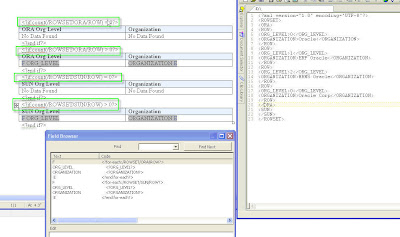
No data found, dynamically based on the data in xml. here is the sample , if you have row, show the data in table. use count() function to identify whether the row exists or not. I just used this this function, but you can very well use any expression to evaluate this condition to be true.

Subscript , Superscript in BIP

How do i create a subscript and superscript in BIP ? we got use the fo element, inorder to display the element as sub or super <fo:inline baseline-shift="super" font-size="6px">2</fo:inline> <fo:inline baseline-shift="sub" font-size="6px">2</fo:inline> Just replace the number value 2 with element from XML. either using <?elementname?> or <xsl:value-of select="element_name"/>

How to set dynamic color , based on xml element

Image
The requirement is, based on certain conditions, a cell will be shown in a specific color. The color would be based on an XML element. The xml element will have values like '#FF00FF' etc.. How to use this value and format the cell ? <xsl:attribute xdofo:ctx="block"name="color"><xsl:value-of select="COLORELEMENT" /></xsl:attribute> where COLORELEMENT is the xml element. what are the other formatting can be used ?? All XSL formatting can be used like this few samples are <xsl:attribute xdofo:ctx="block" name="background-image">Image.gif </xsl:attribute> <xsl:attribute xdofo:ctx="block" name="background-position-horizontal">center</xsl:attribute> <xsl:attribute xdofo:ctx="block" name="background-position-vertical">bottom</xsl:attribute> <xsl:attribute xdofo:ctx="block" name="number-columns-spanned">2</xsl:attri...

How to set dynamic color , based on xml element

Repeat Table Header in all pages in BIP

how to repeat the column titles on a table in all pages if the table extends over several pages What you need to is: 1. Select and Highlight the table header row 2. Right click and select table properties 3. On the Row tab properties , specify that the header row should be repeated on every page 4. Save the RTF 5. BIP looks at the properties of the word settings for the table and will repeat the header row on every page the table needs. This works so well in PDF output, but RTF output seeems to have some issue with this header repeat functionality We all can beleive, In future releases this bug won't be there ;)

Display Negative numbers in Braces "( )"

Image
One of our forum user Vency asked for formatting the number to be displayed with in Bracket, if it is -Ve number Forum Question Might M14 gave a quick resolution, of adding the condition PI to display the brackets on both sides, by concatenating '(' and ')' on both sides respectively. 0 then Sales else ‘(‘||Sales||’)’ end if> Looks good, But this hard-work is not needed, there is a simple solution i guess, its old one, but still will be handy for Newbie's.

Combination of lpad and formatting :)

Recent post, f rom BIP wanted to , format the number to two digits, and then fill the left over space with * and then prepend with$ sign. To format ?format-number(number(10),’###.00’)? ?format-number(number(10.1),’###.00’)? ?format-number(number(10.171),’###.00’)? use this, then to prepend them, if it is one time usage try this ?variable:form_num ;format-number(number(10.171),’###.00’)? ?xdofx:’$’||lpad($form_num,15,'*')? if it is in loop, then ?xdoxslt:set_variable($_XDOCTX, 'x', xdoxslt:lpad(format-number(number(99.171),’###.00’),15,’*’))? $?xdoxslt:get_variable($_XDOCTX, 'x')?